A clean network is a list of people worth talking to. Now talk to them: an event invite for your clients, news for your former colleagues, a hello to the people you have lost touch with.
You pick every person, you write the message, and it goes out once. One message per person, never a sequence.
1. Pick who you want to reach
Open your connections and filter down to the people you have in mind. A tag ("client", "investor"), a company, a school, a location. Once your inbox is imported, you can also filter by whether you have ever messaged someone.
Select them the usual way: tick rows, Shift-click a range, or "select all matching" for everyone the filters show.
2. Write it once, for each of them
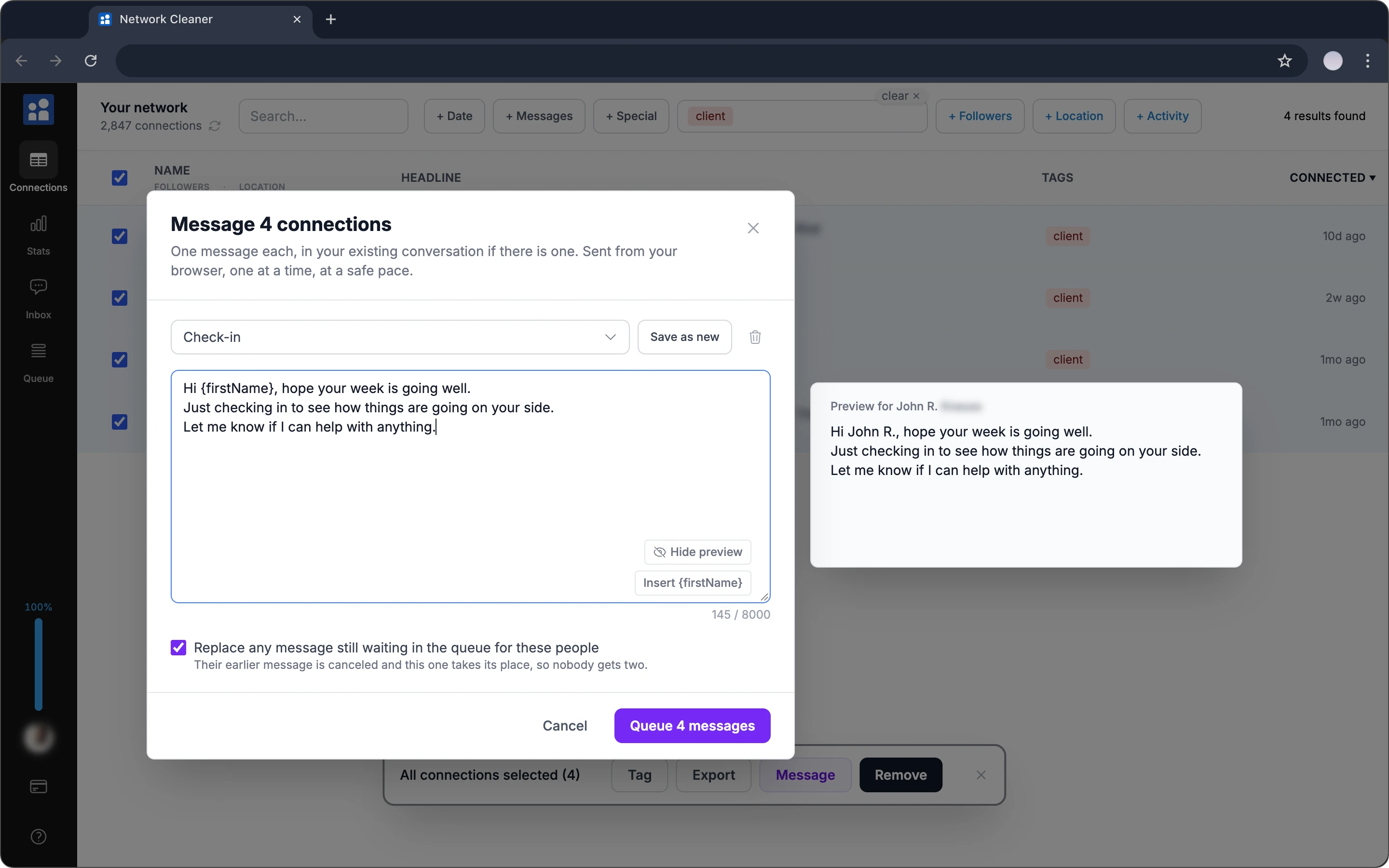
Click Message on the selection bar. Write your message and click Insert {firstName} where the name goes: each person reads their own name.
Save the messages you reuse as templates, and check the preview to see how the first person on the list will read it.
3. Let it go out
Messages go out one at a time, at a safe pace, while your browser is open. The queue pauses itself if LinkedIn asks it to slow down. Each message lands in your existing conversation with that person, if you have one, so it reads like the next line of a real exchange.
Open Queue in the sidebar to follow them, or cancel one still waiting.
4. Answer the replies
Replies arrive in your inbox like any other message. Filter by Your turn to see who wrote back and is waiting on you, and answer in the real LinkedIn thread, right beside the list. The inbox follow-up guide covers that part.
Free and paid
Writing and planning messages is free, so you can prepare the whole send first. Sending comes with the Inbox subscription.