Right now, somewhere in your LinkedIn inbox, someone is waiting on a reply you forgot about. And somewhere else, a conversation you started went cold and never got a follow-up. There are deals, intros, and dormant relationships hiding in there. LinkedIn makes all of it easy to lose.
Network Cleaner's Inbox fixes that by answering one question for every conversation: whose turn is it?
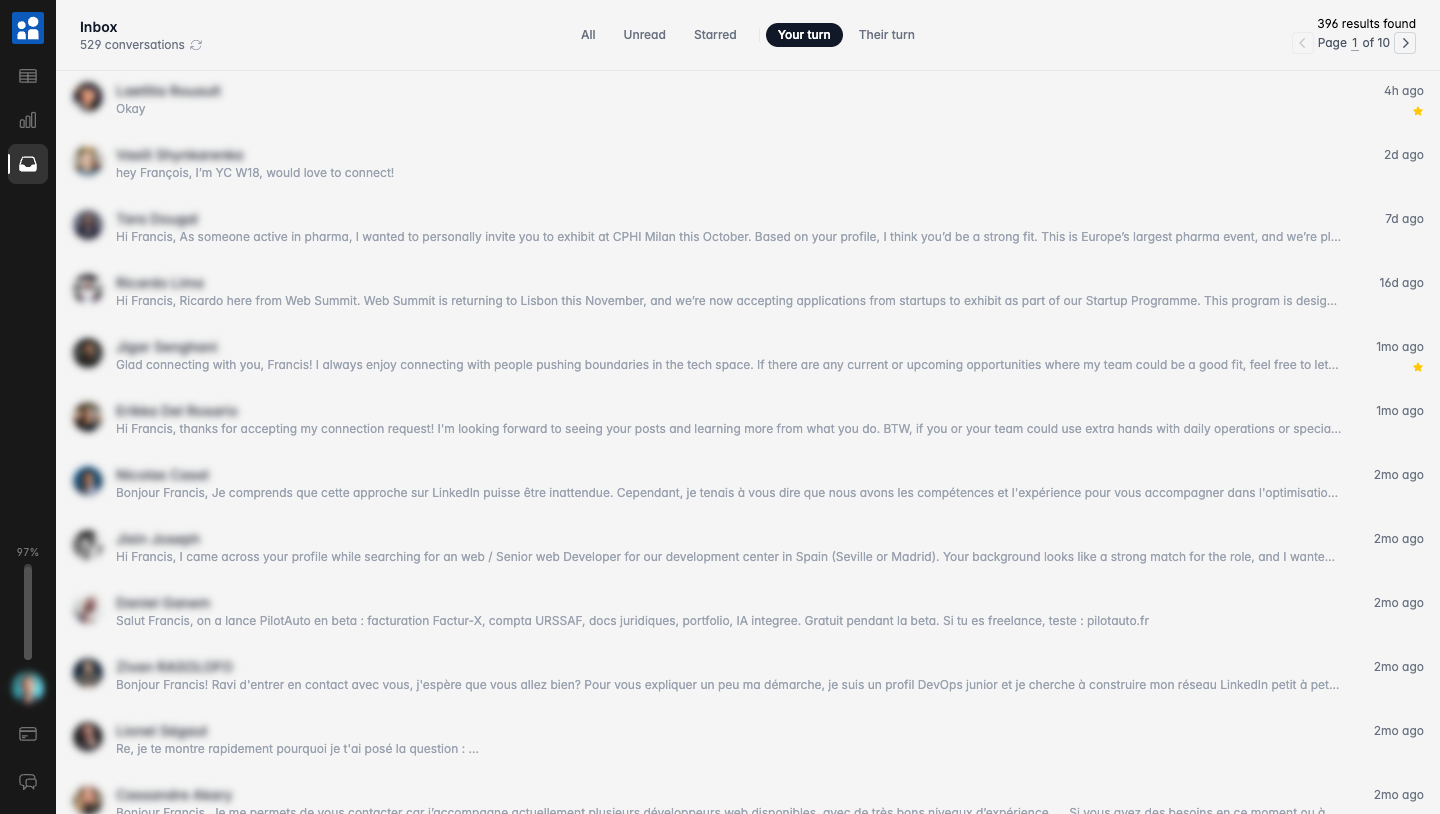
Your turn vs their turn
Every conversation is either your move or theirs. Network Cleaner reads that from the thread and turns it into a filter.
- Filter by Your turn to see everyone waiting on a reply from you. This is your "don't leave people hanging" list.
- Flip to Their turn to see the conversations where you sent the last message. This is your follow-up list: the threads where you're waiting on an answer.
Most LinkedIn tools cannot do this.
Not many tools have this filter. I've looked for so many tools but not many can do this.
Find the conversations worth reviving
The "Their turn" list is where lost opportunities live. Browse it. You will be surprised how many forgotten threads are sitting there, one message away from going somewhere.
Each one is a quick decision: reply now, or move on. No conversation slips through just because LinkedIn buried it under fifty newer ones.
Engagement: who actually wrote back
Your turn and Their turn look at the last message. Engagement looks at the whole conversation. You sent a note and two follow-ups with no answer: that's "Their turn", and "only you". A long exchange where you wrote last is also "Their turn", but "back & forth".
When you open a conversation, Network Cleaner automatically reads the messages on screen and puts a badge on the row:
- back & forth: you both wrote
- only you: you wrote, they never did
- only them: they wrote, you never did
"only you" and "only them" show up once the start of the conversation has been seen. On a long thread, scroll up to load it.
The badges fill in automatically as you go: new messages count as they arrive, and so does every conversation you open. With the Inbox subscription, Detect engagement in the Engagement filter does it automatically for a whole page, without opening each thread. Then click + Engagement to filter: "only you" is the list of people you reached out to who never replied.
Tag your conversations
Hover a conversation and click "Add tags" next to the name. Clients, candidates, partners: use whatever buckets fit your work.
These are the same tags as your connections, so a person tagged in the Inbox is tagged in your network too, and the other way round. If you already organized your network with tags, your conversations come pre-sorted.
Filter by tag
Once conversations are tagged, the tag becomes a filter. Show only your clients. Hide the recruiters. Find the conversations you haven't tagged yet.
Combine it with the turn filters and the questions get sharp: which clients are waiting on me? Which candidates went quiet?
The other filters
Alongside those, you get the basics done right: unread and starred. Results are instant, because your conversation list lives on your computer. Nothing to load, no infinite scroll.
Tagging conversations, the engagement badges, and the unread and starred filters are free. The turn filters, the engagement filter, Detect engagement, and the tag filter come with the Inbox subscription.
Reply in the real LinkedIn thread
Filtering is only useful if you can act on it without leaving. So when you click a conversation, the actual LinkedIn thread opens right next to your list, wider and free of the feed, ads, and sidebars.
Reply, react, switch between conversations. New messages show up live. You are talking inside real LinkedIn, just with a much better way to decide who to talk to first.
It stays on your computer
Your conversation list is stored locally, like everything else in Network Cleaner. No servers, no cloud, nothing uploaded. The Inbox runs on the same install and the same import you already did. Nothing to set up twice.
One extension, your whole LinkedIn
The Inbox is the other half of Network Cleaner. Clean your network of the connections that no longer matter, then stay on top of the conversations that do.
Install Network Cleaner and open the Inbox to see whose turn it is.