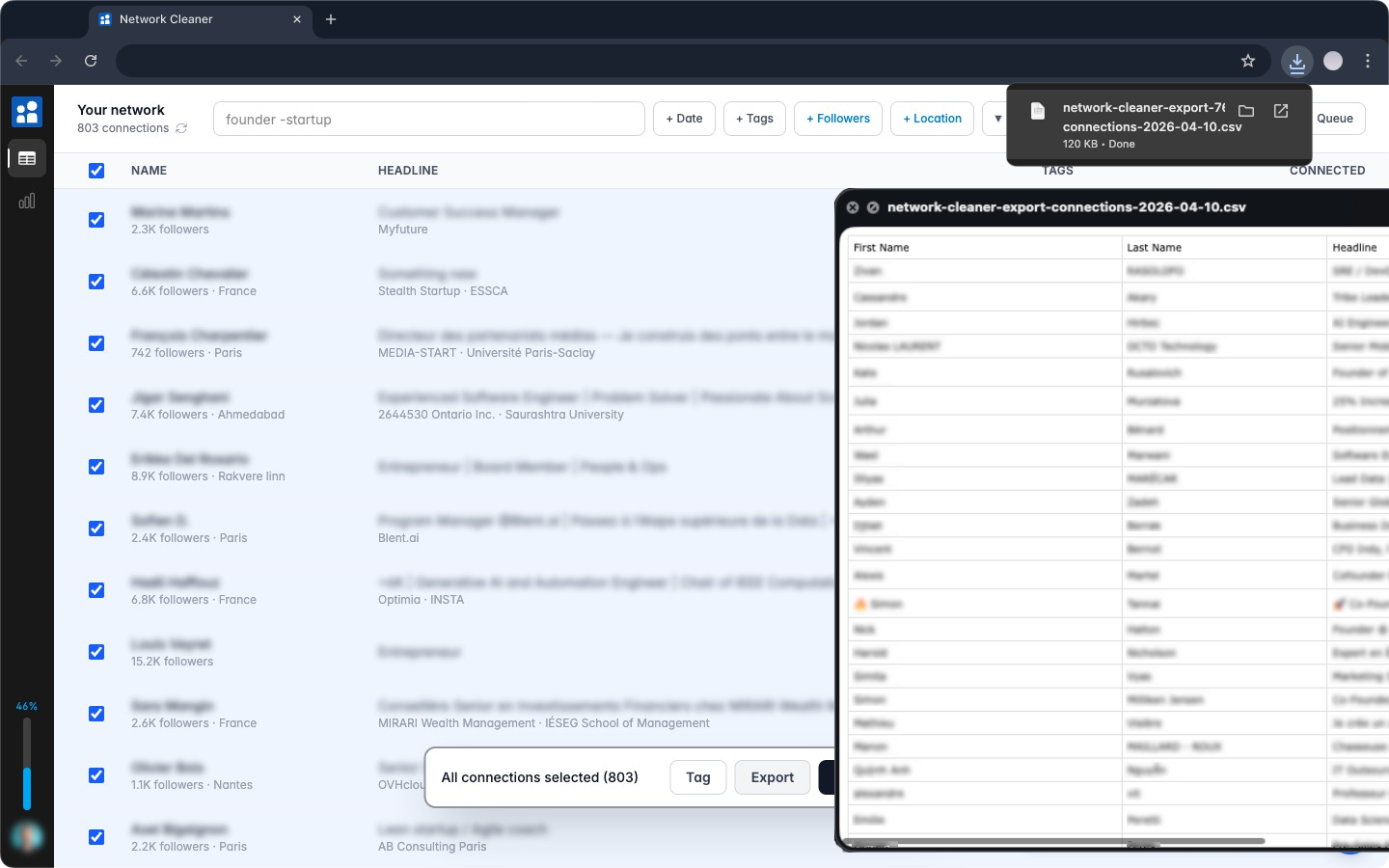
LinkedIn's own export gives you everything or nothing: your whole network in one dump, delivered by email up to 48 hours later. Network Cleaner does the opposite. You pick exactly who goes in the file, and it downloads instantly.
This is the workflow, from filter to file. Deciding between the two methods first? The export comparison covers LinkedIn's built-in export and when it's the better pick.
1. Filter down to the connections you want
Everything you use for cleanup works for export too:
- Search by text. Name, headline, company. Operators work here:
recruiter OR headhunter,-sales,"chief of staff". - Filter by date. Everyone you connected with before, after, or between specific dates.
- Filter by tag. If you've organized your network with tags, a tag becomes an export list: "Prospects", "Clients", "Old job".
2. Select and export
Select connections the usual way: checkboxes, Shift+click for a range, or "select all matching" to grab everyone that fits your filters. Then hit Export CSV in the floating bar.
The file downloads on the spot. No archive request, no waiting for an email.
What's in the file
Each connection comes with the enriched data the app has collected:
- First name and last name, in separate columns
- Headline, the current one, not a stale job title
- Company and school
- Location as written on their profile, plus city, region, and country split into their own columns
- Follower and connection counts
- Last activity date and activity type (posts, comments, or nothing recent), so you can see who went quiet
- Profile URL
- The date you connected
- Memorialized, marked TRUE for accounts LinkedIn has memorialized, so you can keep those people out of any outreach
- Your tags, one column per tag, easy to filter in a spreadsheet
A small number of profiles are restricted by LinkedIn and carry no public identity data. Those are skipped, and the export tells you how many and why.
One thing the file does not contain: email addresses. LinkedIn only exposes those through its own export, and only for the ~3% of people who made theirs public.
What people do with it
- Back up before a cleanup. About to remove a few hundred connections? Export them first. Every name and profile URL is on record if you ever want to reconnect.
- Feed a CRM. Headlines, companies, and profile URLs give you enough to start outreach without manual data entry.
- Analyze your network. Open the file in a spreadsheet and see what your network is actually made of: industries, locations, how it grew year by year.
I exported everyone tagged "Prospects" and had them in my CRM the same afternoon.
Ready when you are
Browsing, filtering, and tagging are free. Export is part of the paid tier, bundled with bulk removal: one payment, both features.
Next: clean your network now that you have a backup of everyone in it.