What Network Cleaner does
Everything you can do with the extension, in one place. Browsing, searching, tagging, and network stats are free. Bulk removal and CSV export unlock with a one-time payment.
Browse
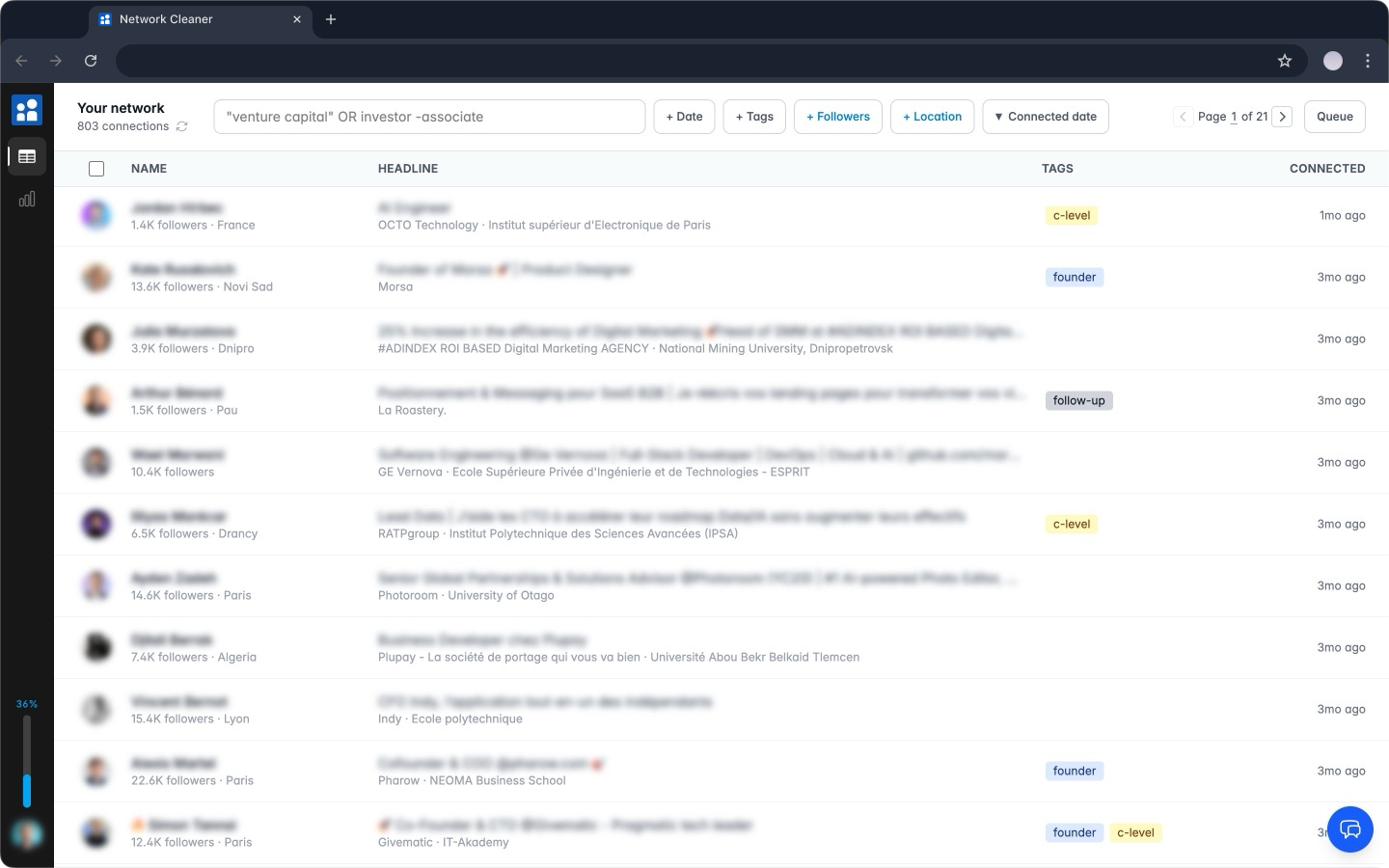
FreeSee your entire network in one place
LinkedIn shows you 20 connections per page with no useful filters. Network Cleaner loads all of them at once. No infinite scroll, no losing your place.
- Blazing-fast pagination, no infinite scroll
- Sort by name, headline, connection date, or follower count
- Jump between pages instantly, even across thousands of connections
Search & Filter
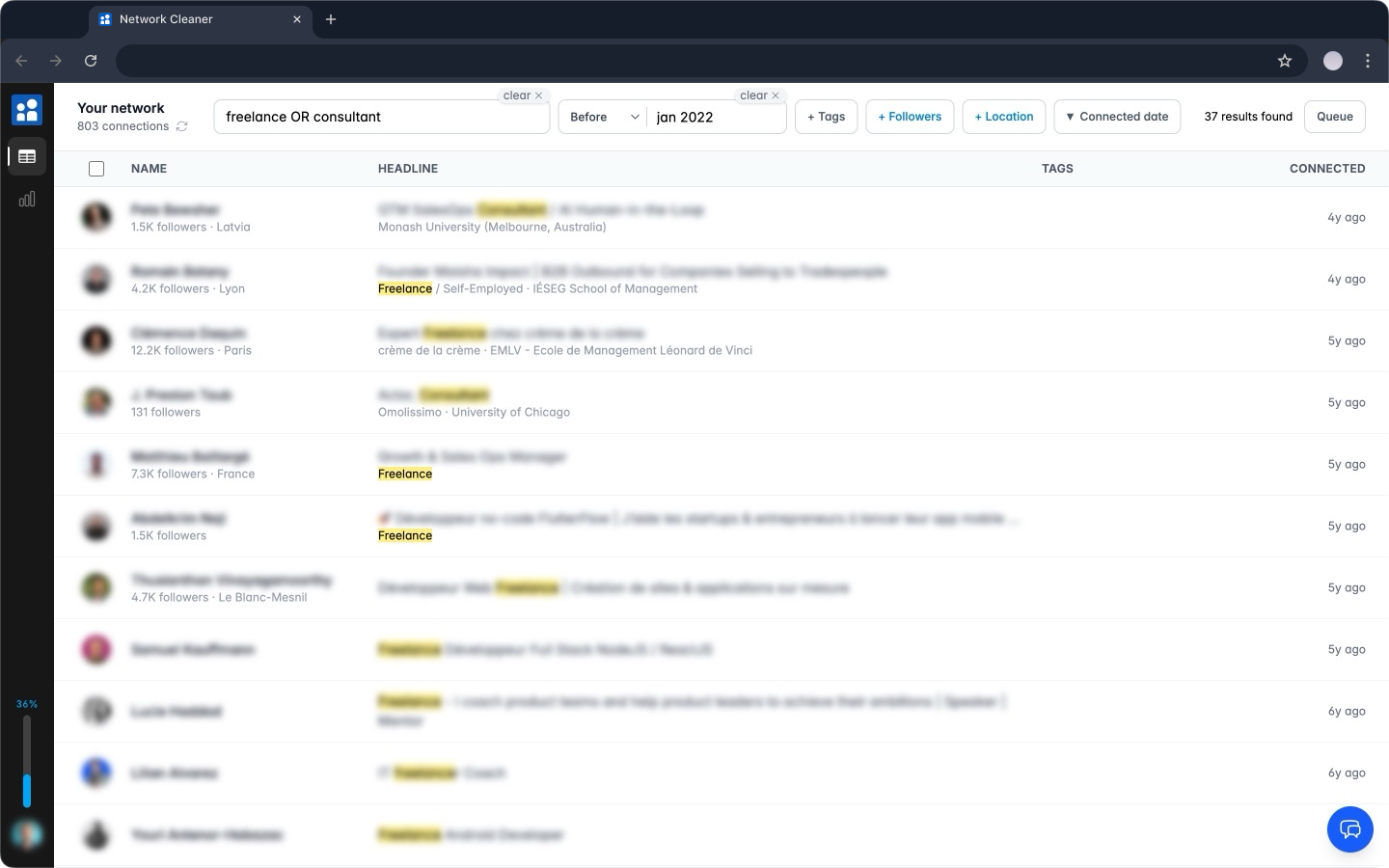
FreeFind exactly who to remove
Search by name, company, school, or headline. Results are blazing fast and update as you type, with matching terms highlighted in yellow. Combine operators and filters to narrow down exactly who you're after.
- OR operator: "recruiter OR headhunter"
- Exact phrases: "VP of Sales"
- Exclusions: -agency to remove noise
- Date filters: before, after, or between specific dates
- Follower filter: more than or less than a threshold
- Location filter: city, region, or country with autocomplete
Selection
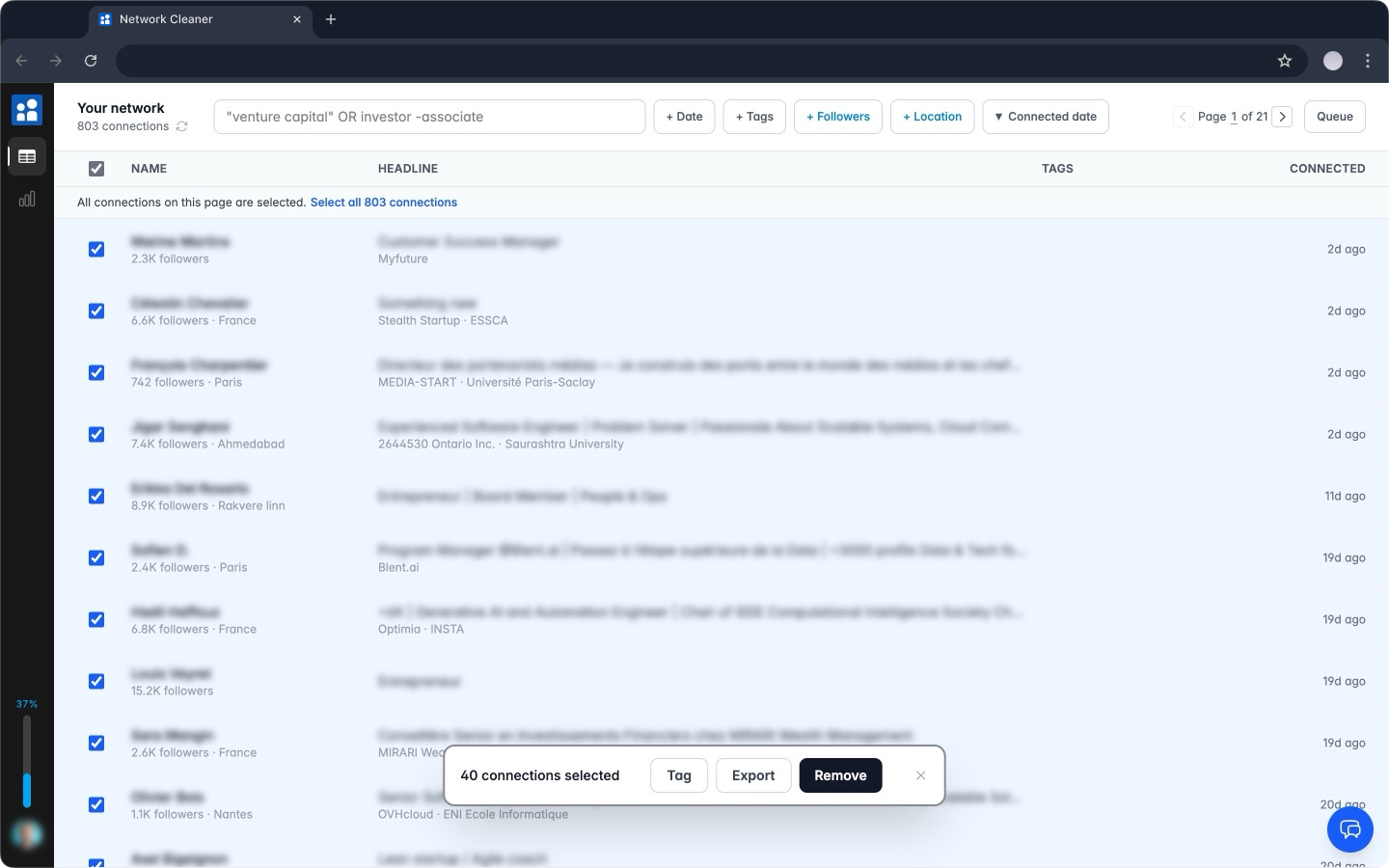
FreeSelect hundreds at once
Individual checkboxes, shift+click ranges, or select every connection matching your current filters. The count updates in real time so you know exactly what you're about to do.
- Individual checkboxes for precise picks
- Shift+click to select a range, like a file explorer
- "Select all X matching" works across all pages
- Selection clears automatically when filters change
Tags
FreeOrganize before you act
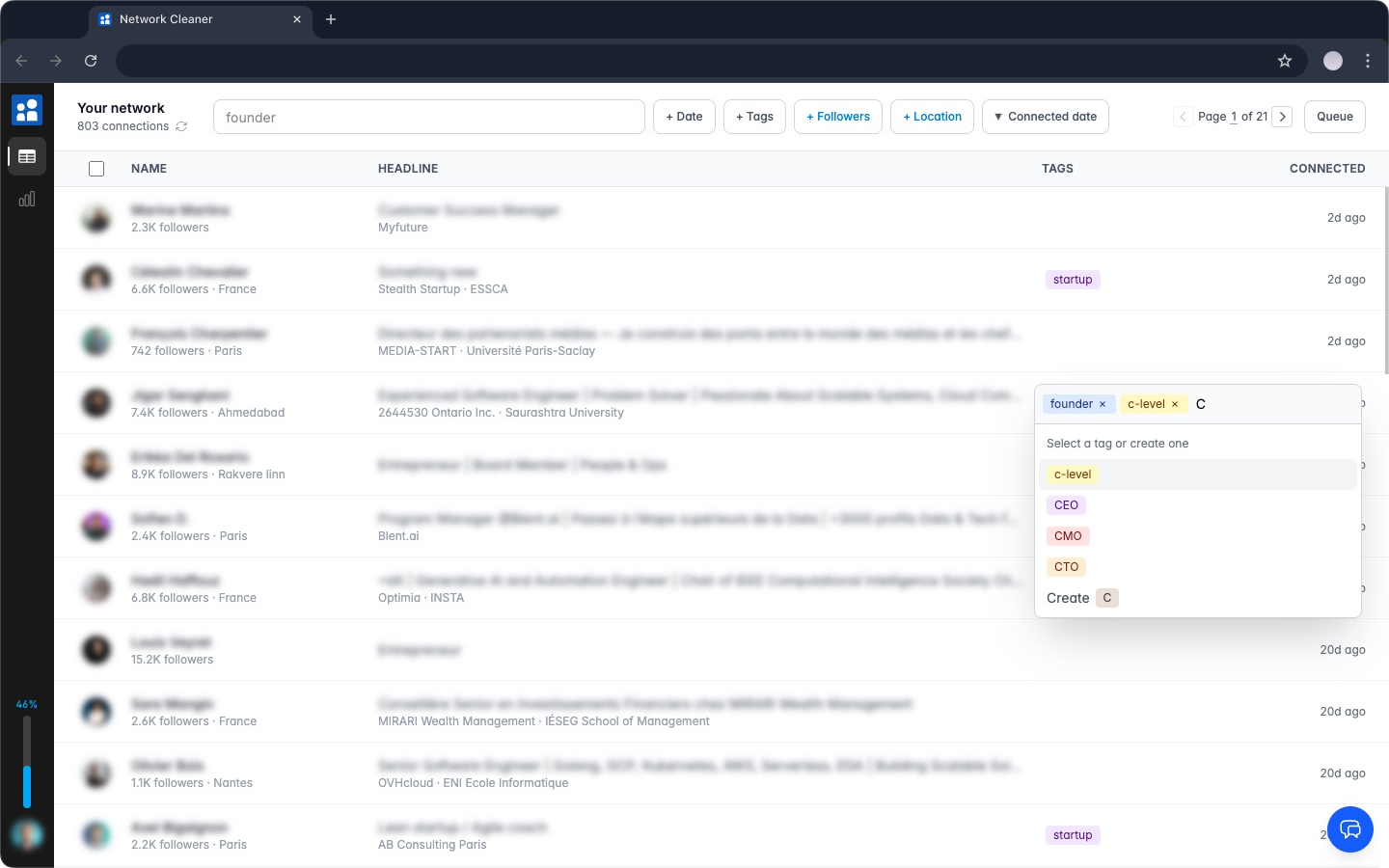
Not ready to remove someone but don't want to lose them in the noise? Tag them. Create tags with colors, assign them in bulk, then filter by tag when you're ready to act or export.
- Create custom tags with color coding
- Assign tags individually or to a bulk selection
- Filter connections by tag (contains / does not contain)
- Tags carry over to CSV exports
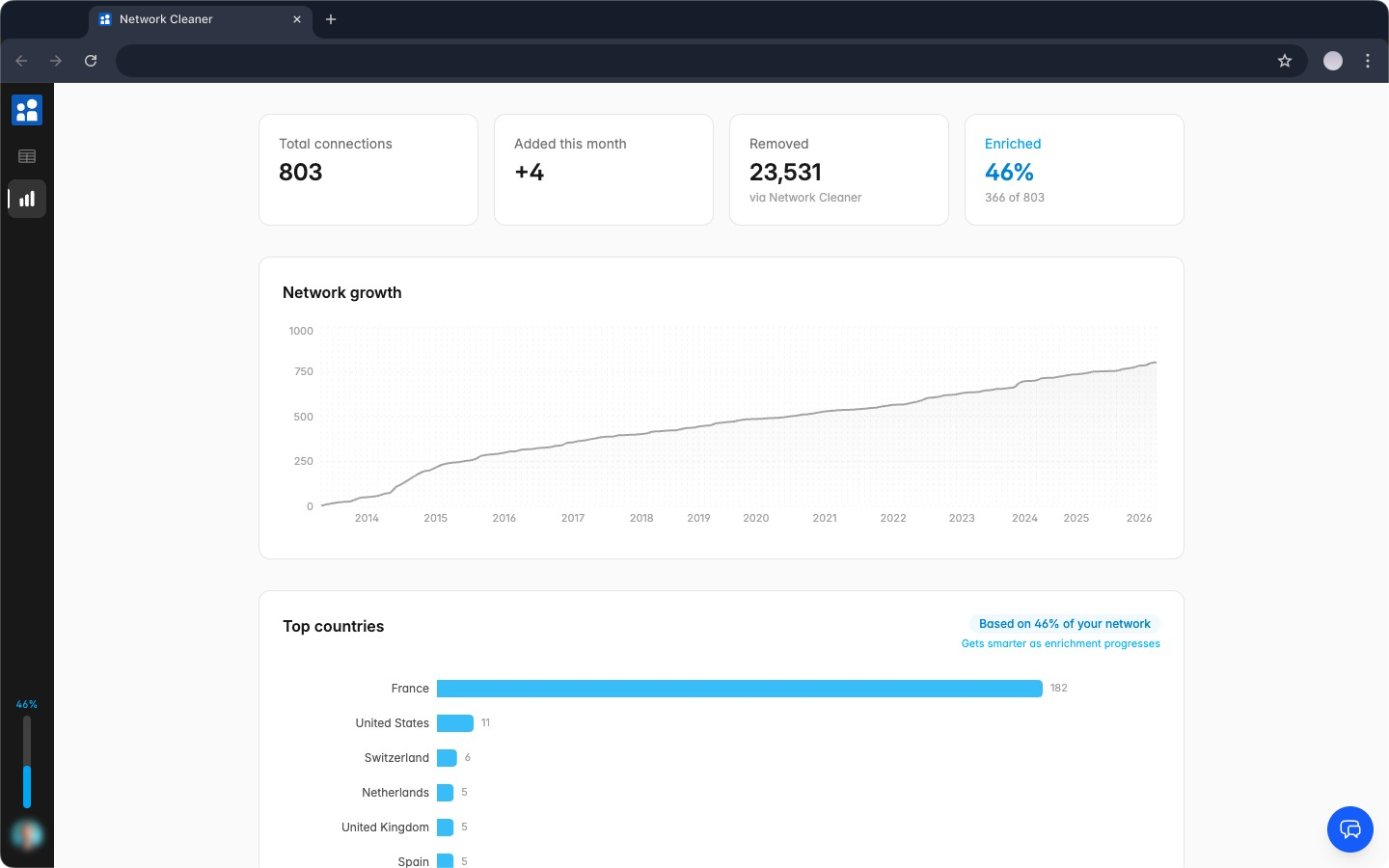
Stats
FreeUnderstand your network at a glance
LinkedIn gives you a connection count and nothing else. Network Cleaner breaks down your network so you can see what's actually in it: where your connections are, what they do, and how your network has changed over time.
- Total connections, monthly additions, and removal count
- Network growth over time (visual chart)
- Top countries, headline keywords, and follower distribution
- Tag breakdown to see how your network is organized
Removal
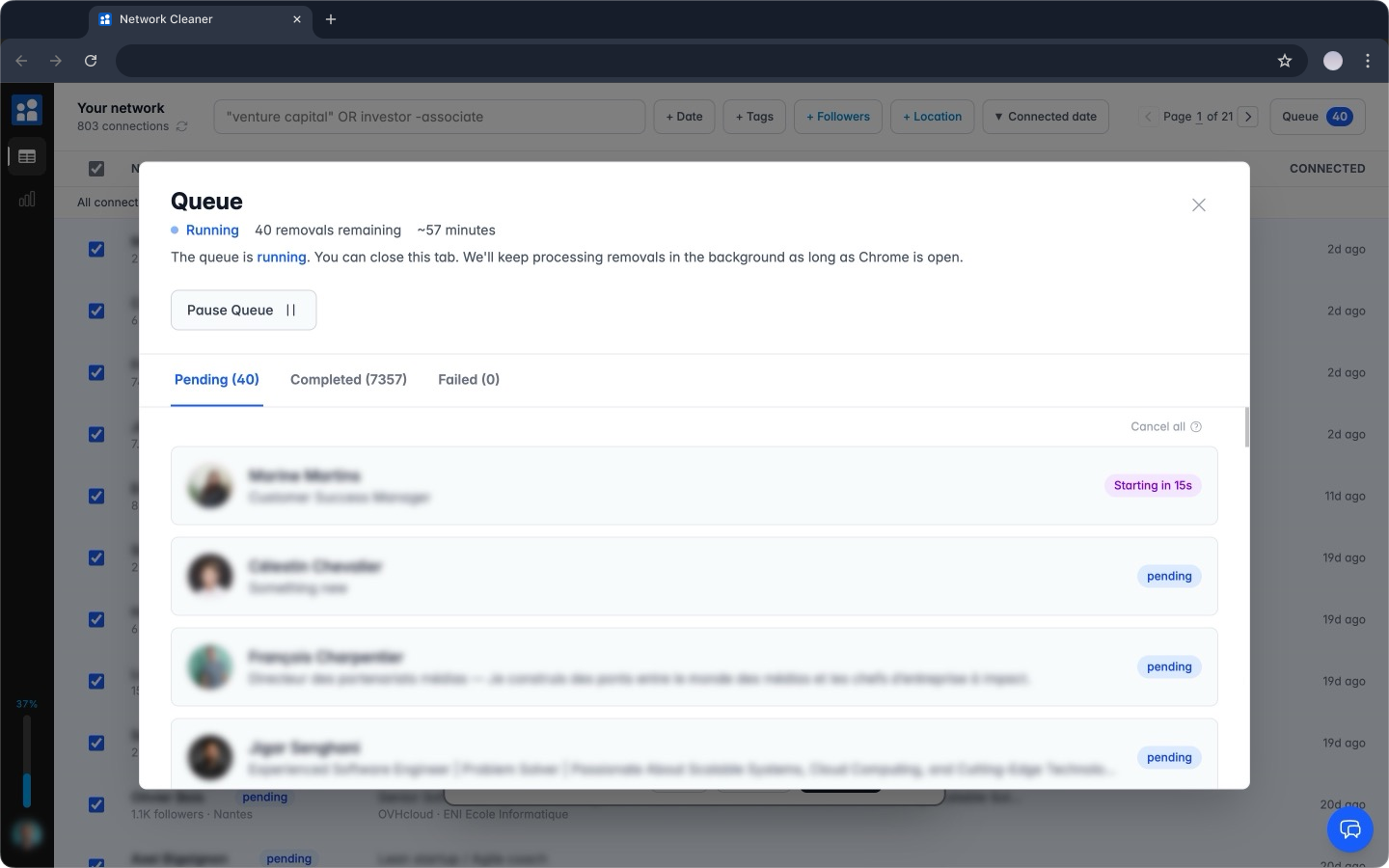
One-time paymentStart it, close the tab, come back later
Queue hundreds of removals and walk away. The extension processes them in the background with smart delays between each action. LinkedIn sees normal behavior, not automation.
- Runs in the background, tab can be closed
- Smart delays between each removal to keep your account safe
- Pause anytime, resume where you left off
- Auto-resumes when you reopen Chrome
CSV Export
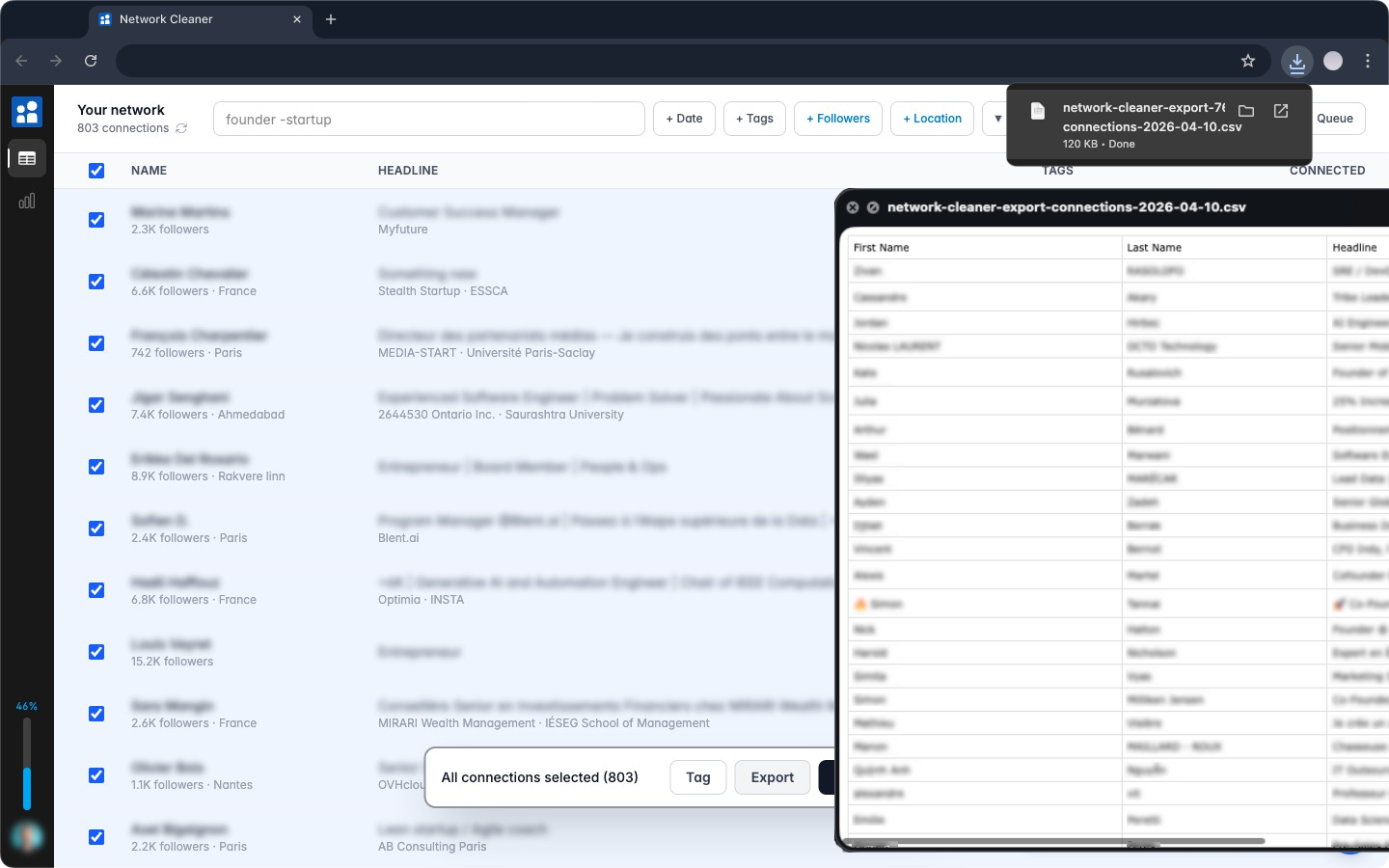
One-time paymentExport the connections you choose
LinkedIn's built-in export gives you a raw dump of your entire network and makes you wait 24-48 hours. Network Cleaner exports exactly the connections you've selected or filtered, instantly, with more useful fields.
- Name, headline, profile URL, connection date
- Company, school, location (city, region, country)
- Follower and connection counts
- Your tags, each in its own column
- Instant download, no waiting for an email
Privacy
Built inYour data never leaves your computer
Network Cleaner stores everything locally in your browser. Your connections, tags, and removal history stay on your machine. Nothing is uploaded to any server.
Stored locally
All data lives in your browser. Not on our servers.
No account needed
Install and go. No signup, no password.
No password, ever
We never ask for your LinkedIn password. Network Cleaner works with your existing LinkedIn session in Chrome.
Ready to clean up your network?
Free to install. Browse, search, and plan which connections to remove before paying anything.